Check pairing mode, output devices, Windows diagnostics and driver updates before replacing anything.
Before you start
- Headphones have enough battery
- Bluetooth is supported and turned on in Windows
- Your headphones are not still connected to another device
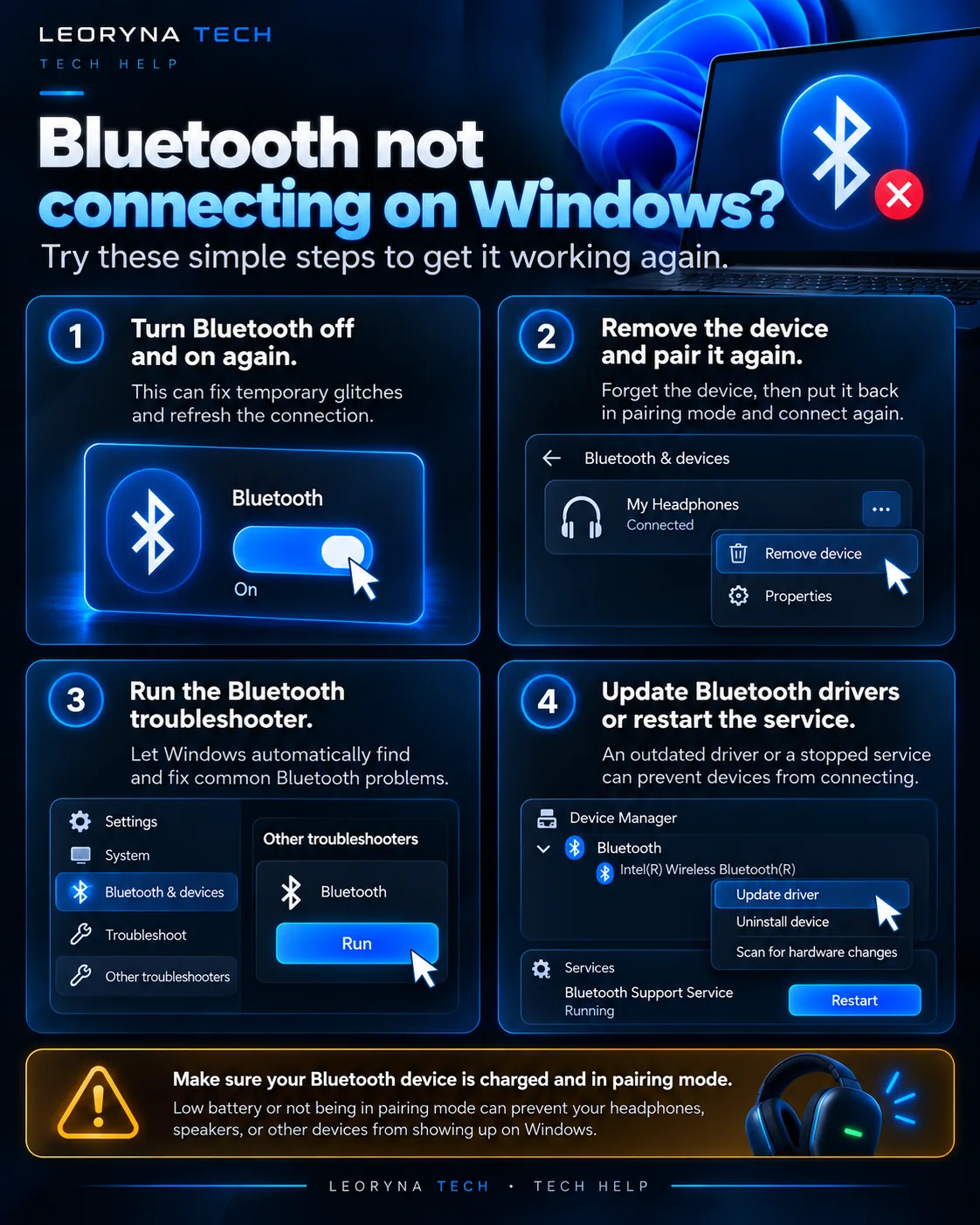 Tap to enlarge ↗
Try these fixes in order
Check battery and pairing mode
Charge the headphones and follow their manufacturer’s pairing-mode instructions. Pairing mode is different from simply powering the device on. If the accessory automatically reconnects to a phone, temporarily disconnect it there.
Verify Bluetooth in Windows
Open Settings → Bluetooth & devices and turn Bluetooth on. Use Add device to search for the accessory. If Windows cannot see the device, move it closer and keep it in pairing mode.
Some desktop PCs do not have built-in Bluetooth. Check your PC specifications rather than assuming the feature is present.
Remove the stale connection, then pair again
If the headphones are listed but do not connect, select them in Bluetooth & devices, remove the device, and pair again. This may clear a stale connection record. Note that you may need to repeat pairing on other devices afterward.
If paired, check your audio output
If Windows says the headphones are connected but you hear nothing, click the sound control and select the headphones as the output device. Check both the computer volume and accessory volume. Test with a different application to isolate the issue.
Run Bluetooth diagnostics and update responsibly
Open Get Help and run the Bluetooth troubleshooter. Check Windows Update and any optional Bluetooth driver updates. If a problem follows a driver change, obtain support from your PC manufacturer.
Only download drivers from Windows Update or the official manufacturer; avoid unknown driver-download websites.
Frequently asked questions
Why do headphones connect to my phone but not my PC?
They may be paired or actively connected to the phone, out of pairing mode, or incompatible with the computer’s Bluetooth setup.
Does connected mean Windows selected them for audio?
Not necessarily. Check the sound output selection if pairing succeeds but you still hear audio through laptop speakers.
Official reference
This independent guide is informed by published manufacturer instructions. Menus may change with updates; consult the source for device-specific guidance.
Microsoft Support: Fix Bluetooth problems in Windows ↗