Test the network and affected apps individually. Avoid a TV factory reset unless your manufacturer recommends it and you understand what it erases.
Before you start
- Check whether the same streaming service works on your phone or laptop.
- Remember your streaming account login before removing or reinstalling an app.
- A TV factory reset removes apps and account settings; do not use it as the first fix.
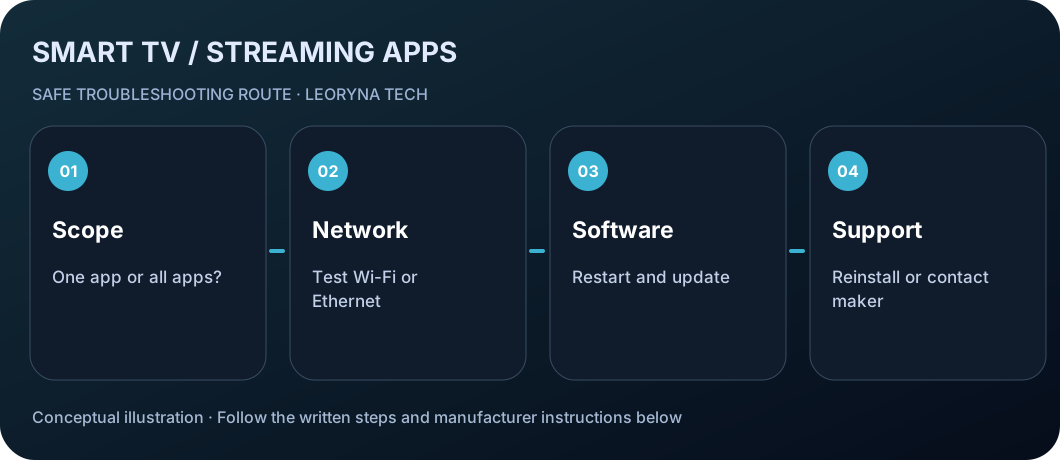
Try these checks in order
Find out whether one app or all apps fail
Open a different built-in app or the TV browser if available. If just one service fails, suspect an app-specific issue. If everything fails, test the TV’s internet connection.
Test the TV connection
Open Network settings and verify the TV is connected. Restart the home router using its published instructions, or temporarily test another trusted network if practical. Avoid sharing a phone hotspot that exceeds your data plan.
Restart the TV safely
Exit the affected app and restart the TV using its menu or a normal power cycle. Follow the manufacturer’s directions for your specific model and wait until it has fully restarted.
Check for app and system updates
Open the manufacturer’s app store and look for an available app update. Also check the TV’s system software settings. Do not install untrusted app packages or firmware from random websites.
Reinstall only the affected app if supported
If one app alone continues failing, check the manufacturer’s instructions to remove and reinstall it. Be prepared to sign in again. If an app is unavailable for your model or country, contact its provider.
Escalate before any factory reset
If multiple apps still fail after normal checks, contact the TV maker. A factory reset may remove accounts, installed apps and preferences. Back up settings where possible before considering it.
Frequently asked questions
Why do some apps work while one app crashes?
A problem limited to one app often points to its update, compatibility, service outage or account state rather than a failing TV.
Does reinstalling an app delete my TV subscription?
Usually it removes local app data and login, not the separate paid subscription. Confirm the account and provider’s rules first.
Will a factory reset delete my installed apps?
Yes, TV makers warn that resets restore initial settings and remove local app/account settings. Use it only after other steps.
Manufacturer documentation
This original, independent guide draws on official documentation; menus and capabilities may differ by model, region and software version. It does not replace professional service.
LG Support — Fix TV apps freezing, crashing or not loading ↗